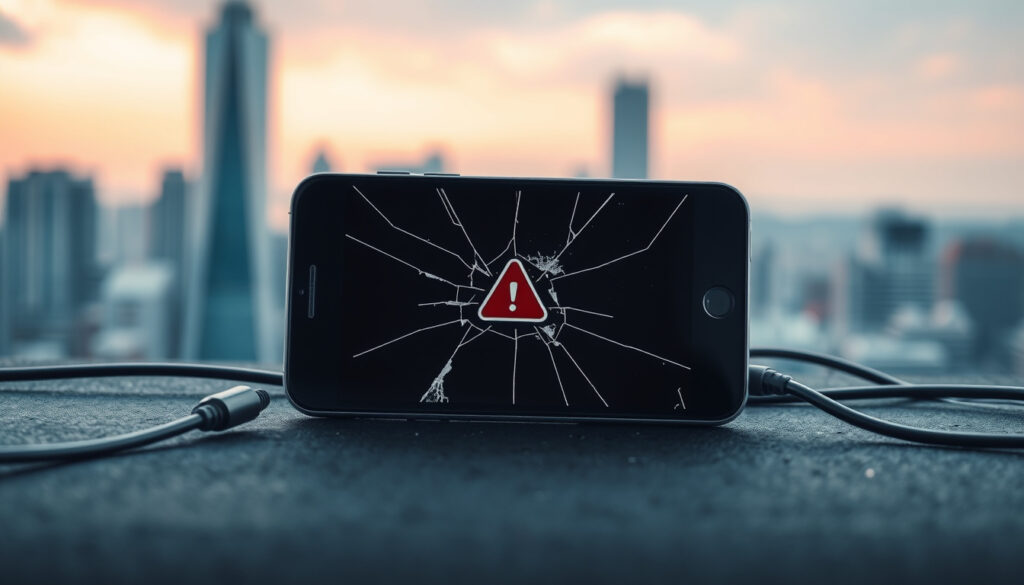
2degrees Mobile Phone Fault: Fix Not Working, Outages & Support
Anyone who has picked up their phone to find it showing “SOS” or unable to make calls knows that sinking feeling. If you’re a 2degrees customer in New Zealand, you’ve come to the right place. This guide walks you through the most common faults, shows you how to check if there’s a network outage, and gives you the steps to get back online fast – based on official 2degrees support documents and recent coverage from NZ Herald.
Recent nationwide fault fixed: 3 December 2025 ·
Network infrastructure: Uses Vodafone towers (RAN) ·
Customer service hours: 24/7 ·
Common symptoms reported: No calls, texts, or SOS mode
Quick snapshot
- Why some phones show SOS during minor network issues – could be phone settings or temporary signal loss.
- Whether specific device models (e.g., Samsung) are more prone to 2degrees faults – no official data.
- Exact root cause of the 3 December 2025 outage has not been publicly detailed.
- 3 December 2025 – Nationwide fault fixed by 11:30am (NZ Herald)
- Check 2degrees network status for ongoing issues.
- Enable Wi-Fi Calling if mobile signal is weak. (2degrees network status)
- Contact 0800 022 022 if problem persists. (2degrees network status)
Five key background details every 2degrees customer should know, drawn from official sources and recent coverage.
| Attribute | Details |
|---|---|
| Provider Name | 2degrees |
| Network Technology | 4G/5G via Vodafone (RAN) |
| Recent Known Outage | 3 December 2025 (nationwide fault fixed same day) |
| Customer Service Number | 0800 022 022 |
| Ownership | Trilogy International Partners (Wikipedia) |
Why Is My 2degrees Phone Not Working?
Most 2degrees mobile faults fall into one of three categories: network issues, SIM card problems, or account blocks. Identifying which one you’re dealing with is the fastest route to a fix.
Phone Shows SOS or No Service
- If your phone displays “SOS” or “No Service”, start by checking the 2degrees network status page. A known outage in your area will show there immediately, and you can report an outage if your location isn’t listed but service is affected. (2degrees troubleshooting guide)
- 2degrees notes that mobile and broadband networks may be affected by planned maintenance or unexpected outages. In such cases, Wi-Fi Calling can often serve as a workaround – as long as you have a stable Wi-Fi connection. (2degrees)
- Also verify that Do Not Disturb is turned off – it can silently block incoming calls and texts. (2degrees)
SIM Card Issues
- A newly inserted SIM should work immediately, but if you’re experiencing trouble, try reinserting the SIM after a phone restart. (2degrees mobile settings)
- 2degrees recommends keeping the phone’s network mode and operator selection set to Automatic. Manual selection can cause registration failures. (2degrees mobile settings)
Account or Billing Blocks
- Prepaid customers: check your balance by sending BAL to 233. If credit is low, calls, texts, and data may be restricted. (2degrees troubleshooting guide)
- Ensure call diverts are not set and that incoming/outgoing calls are not barred in your phone settings. (2degrees)
Before calling support, a 30-second network-status check saves time: if the whole area is affected, it’s not your phone. If the status page shows all clear, move straight to SIM and settings troubleshooting.
Bottom line: 2degrees mobile faults are usually either network outages, SIM registration errors, or account holds. NZ customers who check the status page first can eliminate a network cause in under a minute.
How to Troubleshoot 2degrees Mobile Text and Calling Issues
If you’ve ruled out a network outage, these step-by-step fixes from 2degrees’ own support documentation will resolve most device-side faults.
Restart Network Registration
- Turn on Airplane Mode, wait 10 seconds, then turn it off. This forces the phone to re-register with the nearest tower. (2degrees)
- If that doesn’t help, restart the phone completely. 2degrees says your device needs at least 15% free storage to function properly, so check storage too. (2degrees)
Update APN Settings
- For data and MMS issues, ensure your APN is set to
internet– this is required to work across 2degrees’ full network. (2degrees mobile settings) - Also confirm VoLTE is enabled – it may need to be turned back on after a software update. (2degrees)
Test Calls and Texts After Resets
- After any change, make a test call to a friend or dial 200 (2degrees’ free short code) to confirm service is restored. (2degrees contact)
- If you’re switching from iPhone to another device, turn off iMessage and FaceTime before moving the SIM – otherwise texts may not arrive. (2degrees warning)
Bottom line: Most calling and texting faults on 2degrees are fixed by a simple network re-registration (airplane mode toggle) or APN reset. 2degrees recommends testing after each step rather than doing everything at once.
Is 2 Degrees Having Problems Today?
When your phone suddenly stops working, the first question is whether it’s just you or a wider problem. Here’s how to tell.
How to Check 2degrees Network Status
- The official 2degrees network status page shows real-time updates on mobile and broadband outages. It also displays coverage type and expected signal strength in your area. (2degrees)
- You can subscribe to updates from the status page or check the same page via a friend’s phone or a computer on a different network.
What to Do During a Network Outage
- If a fault is confirmed in your area, Wi-Fi Calling is the recommended fallback. Enable it in your phone settings – it routes calls over your home or office Wi-Fi. (2degrees)
- 2degrees also advises keeping your device software updated to ensure correct carrier settings. (2degrees mobile settings)
Recent 2degrees Faults and Timeline
- 3 December 2025 – A nationwide fault affected some mobile customers. 2degrees confirmed the issue and deployed a fix by 11:30am the same day. (NZ Herald)
- Other smaller outages have occurred sporadically – the status page remains the best source for current information.
For NZ customers, a 10-second check of the status page can differentiate a network-wide issue from a device problem. Misdiagnosis often leads to unnecessary SIM replacements or store visits.
Bottom line: 2degrees provides a real-time network status page that shows current outages. The 3 December 2025 nationwide fault was fixed within hours – typical for emergency-level issues.
How Do I Contact 2degrees Customer Service?
When self-troubleshooting doesn’t work, 2degrees offers several support channels. These are the official ones backed by their contact page.
Call Customer Service (0800 022 022)
- 2degrees customer service is available 24/7. From a 2degrees mobile, dial 200 for free; from any NZ phone, call 0800 022 022. Overseas callers can use +64 22 200 2000. (2degrees contact)
- If the network is down, the call may not connect – use Wi-Fi Calling or try a friend’s phone on a different network.
Live Chat and Social Media
- Visit 2degrees help for live chat during business hours. The 2degrees Facebook page is monitored for urgent queries.
- Twitter/X support accounts are also listed on the contact page.
In-Person Store Support
- 2degrees retail stores across New Zealand can replace faulty SIM cards and assist with device settings. Check the store locator on 2degrees.nz for opening hours.
The trade-off: phone support is fastest for immediate faults, but during large outages you may face long hold times. In-store visits are better for SIM replacements and hardware issues.
Is 2degrees a Reliable Service Provider?
Reliability depends on infrastructure and ownership. Here’s the factual picture for NZ customers.
Who Owns 2degrees
- 2degrees is owned by Trilogy International Partners, a US-based telecom company that also operates in other markets. (Wikipedia)
- It is the third-largest mobile network in New Zealand, covering roughly 99% of the population through roaming agreements.
Does 2degrees Use Vodafone Towers?
- Yes – 2degrees uses Vodafone’s radio access network (RAN) to deliver its mobile coverage, particularly in rural areas. (Canstar)
- This means that when Vodafone’s infrastructure has issues, 2degrees customers may also be affected.
Comparison with Other NZ Networks
- 2degrees is generally considered reliable for urban areas, with occasional nationwide outages (like December 2025). Its coverage in remote regions relies on Vodafone towers, which can be weaker than Spark’s native network in some locations.
- No official comparative reliability data exists in the research, but customer forums (JustAnswer) note that billing and roaming headaches are reported more often than core network problems.
2degrees’ reliance on Vodafone infrastructure is a double-edged sword: it gives wide coverage but ties fault response to another company’s maintenance schedule. Customers in rural NZ may experience longer downtimes when Vodafone towers go offline.
Step-by-Step Troubleshooting Process
- Check 2degrees network status for known outages.
- Restart your phone – ensure at least 15% storage is free. (2degrees)
- Reinsert SIM card and check for physical damage.
- Toggle Airplane Mode for 10 seconds to re-register on the network.
- Set network mode and operator selection to Automatic. (2degrees)
- Update APN to
internetif data is not working. - Enable Wi-Fi Calling if available.
- Check prepaid balance via BAL to 233. (2degrees)
- Test calling and texting after each fix.
- Call 0800 022 022 if none of the above works.
Timeline of Recent 2degrees Faults
- – Nationwide fault reported; 2degrees confirmed and resolved by 11:30am. (NZ Herald)
What We Know vs. What Remains Unclear
Confirmed facts
- 2degrees uses Vodafone towers for mobile network (Canstar)
- 2degrees owned by Trilogy International Partners (Wikipedia)
What’s unclear
- Why some phones show SOS during minor network issues – could be phone settings or temporary signal loss.
- Whether specific device models (e.g., Samsung) are more prone to 2degrees faults – no official data.
- Exact root cause of the 3 December 2025 outage has not been publicly detailed.
What They Said
“We have fixed a fault that caused issues for some mobile customers.”
– 2degrees spokesperson, via NZ Herald
“2degrees uses Vodafone’s mobile radio access network.”
– Canstar
For 2degrees customers in New Zealand, the takeaway is practical: most faults are fixable without calling support, but knowing when to wait out a network outage is just as important. The 3 December 2025 incident showed that even a nationwide fault can be resolved within hours – but for those who rely heavily on mobile service, enabling Wi-Fi Calling and keeping a backup device on hand is a sensible precaution. For NZ consumers, the choice is clear: use the official status page as your first step, and only escalate to support if the problem is device-specific.
geoblackout.com, 2degrees.nz, reddit.com, help.2degrees.nz, 2degrees.nz, facebook.com, help.2degrees.nz, reddit.com, 2degrees.nz, consumer.org.nz, facebook.com
Frequently asked questions
Why does my 2degrees phone show SOS?
SOS mode typically means your phone cannot register on the 2degrees network. Check the network status page for outages, restart your phone, and ensure SIM is properly inserted.
How do I check if 2degrees network is down?
Visit 2degrees network status for real-time updates. You can also report an outage if your area isn’t listed.
What should I do if my 2degrees phone won’t make calls?
First, ensure you have enough prepaid credit (dial BAL to 233). Then restart your phone, check that Do Not Disturb is off, and toggle Airplane Mode. If still no luck, call 0800 022 022.
Does 2degrees support VoLTE and Wi-Fi Calling?
Yes – 2degrees supports both VoLTE and Wi-Fi Calling. Enable them in your phone settings under Mobile Network. Note that VoLTE may need to be turned on again after software updates. (2degrees)
Can I use my 2degrees phone overseas without issues?
International roaming is available, but rates and coverage vary. Check 2degrees roaming for country-specific details. Overseas calls can be made to +64 22 200 2000 for support.
How long do 2degrees outages usually last?
Minor faults may resolve within an hour; nationwide outages like the 3 December 2025 event were fixed within 5 hours. The network status page provides estimated resolution times when available.
Will 2degrees replace my SIM card if it’s faulty?
Yes – any 2degrees store can issue a replacement SIM. If you suspect a faulty SIM, visit a store with your ID. New SIMs work immediately upon insertion. (2degrees)
Related reading: ANZ bank app and website outage – status, cause and fix · 09 area code New Zealand – how to dial +64 9
More related posts
 Business Accounting Software Review: Expert & User Picks
 How to Start a Business: Step-by-Step Guide
 Auckland Airport Evacuation Fire Alarm – Cause Timeline Status
 Houses for Sale Hawkes Bay – Prices, Suburbs and Market Guide 2026
 Toyota RAV4 Hybrid Ireland: Price, Problems & Best Year to Buy
 Noeline Taurua Silver Ferns Deadlock: Reinstatement Explained
 Wet and Dry Vacuum Cleaner Buying Guide: Is It Worth Buying
 Jessie-Lee Daniela-Ranford: Family Hits ATM for $200k