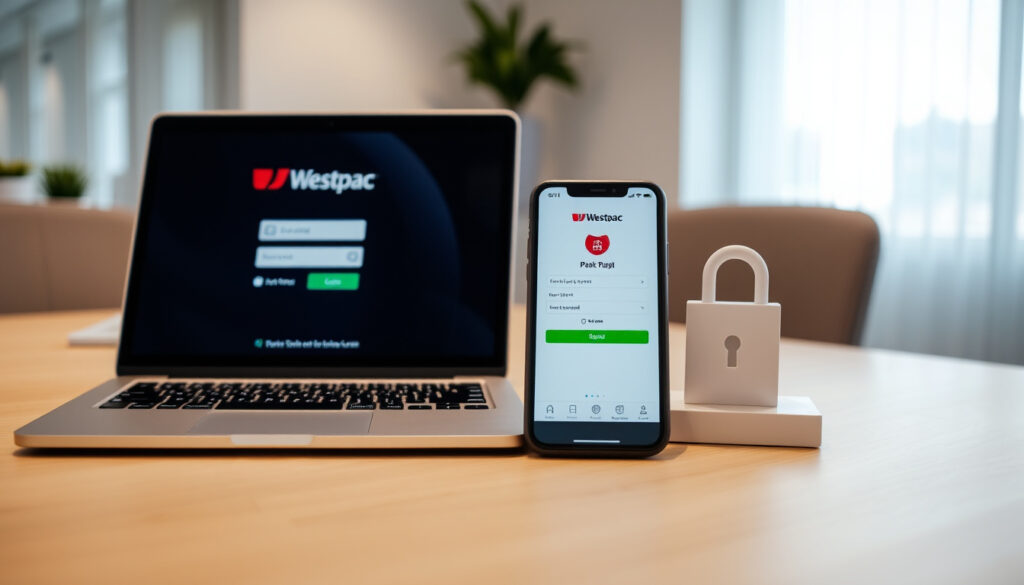
Westpac Business Online Banking NZ: Login, Reset & App Guide
If you run a business in New Zealand, you have probably spent time trying to log into Westpac Business Online without success. This guide walks you through signing in, resetting your password, using the mobile app, and getting help, all based on Westpac’s official guidance.
24/7 access to your business accounts: Yes, through Business Online and Westpac One Business ·
Multiple user support: Yes, with unique login IDs and custom permissions ·
Login credentials required: Business ID, Login ID, and Password
Quick snapshot
- Access 24/7 from any device — Westpac NZ Official Business Online Page
- Use Business ID, Login ID, Password — Westpac NZ Business Online Login Portal
- All fields are case‑sensitive and mandatory — Westpac NZ Business Online Login Portal
- Digital banking platform for business users — Westpac NZ Westpac One Business Page
- Simplified interface, new features added regularly — Westpac NZ Westpac One Business Page
- Dedicated forms for access, change, and third‑party authority — Westpac NZ Westpac One Business Page
- Available for iOS and Android — Google Play Store – Westpac One NZ
- Same login credentials as web — Westpac NZ Business Online Login Portal
- Supports account opening, credit card applications, and international payments — Google Play Store – Westpac One NZ
- Technical support 0800 337 522 (8:30am–5:30pm weekdays) — Westpac NZ Business Online Login Portal
- Online help centre with guides — Westpac NZ Official Business Online Page
- Administrator manages user access and password resets — Westpac NZ Business Online Login Portal
Four key facts summarise what every NZ business owner should know about Westpac’s digital banking setup.
| Label | Value |
|---|---|
| Platform | Westpac Business Online |
| Availability | 24/7 |
| Login fields | Business ID, Login ID, Password |
| User management | Multiple users with custom permissions |
How do I sign in to Westpac Business Online Banking NZ?
What login details do I need?
- Business ID – issued when you registered for Business Online
- Login ID – your unique user identifier
- Password – case‑sensitive, at least 8 characters
All three fields are mandatory and case‑sensitive, as stated on the official login portal (Westpac NZ Business Online Login Portal (Tier‑1 source)). If you don’t have your Business ID, contact your administrator – they can retrieve it without contacting the bank.
Where is the Business Online login page?
Go directly to bol.westpac.co.nz/businessonline. Bookmark this URL – it is the only official entry point. Typing “Westpac Business Online” into a search engine can land you on third‑party pages that mimic the real portal.
What if I forget my Business ID?
- Contact your Business Online Administrator – they can find your Business ID from the user management screen.
- If you are the administrator and have lost it, call Westpac support on 0800 337 522.
The takeaway: your administrator is the gatekeeper. Forgetting your Business ID isn’t a showstopper – it just needs a quick chat with the person who set up your access.
Westpac’s login system uses three distinct credentials – treat each like a separate key. If you lose one, your admin can reset it without involving the bank, saving you a phone call during business hours.
How do I reset my Westpac One Business login password?
How to reset password online?
- Visit the Business Online login page at bol.westpac.co.nz/businessonline.
- Click “Forgot password?” below the login fields.
- Enter your Business ID and Login ID – the system will send a reset link to the email on file.
- Follow the link to create a new password (must meet the strength requirements).
Self‑service password reset is available for all users, as confirmed by the login portal.
How to reset password via phone?
If you cannot use the online option – perhaps the email on file is outdated – call Westpac Business Online technical support on 0800 337 522 (8:30am – 5:30pm, Monday to Friday). Have your Business ID and personal identification ready. The support team can verify your identity and reset the password on your behalf.
What to do if locked out?
After five incorrect login attempts, the system locks your account for security. You can either wait 30 minutes for the lock to expire or contact your Business Online Administrator to unlock it immediately. The administrator can reset the password and restore access without delay.
The pattern: self‑service works in most cases; the phone line is the backup. For fast recovery, train your administrator to handle lockouts – they are the quickest route back in.
How do I download the Westpac Business Online app?
Is the app available for iOS and Android?
Yes. The Westpac One NZ Mobile Banking app is available on both platforms. Android users can download it from Google Play (Westpac One NZ). iOS users find it in the App Store under “Westpac One NZ”.
What features does the app have?
- Open new accounts and apply for loans or credit cards
- Block lost or stolen cards instantly
- Make international payments to Australia and view term deposits
- Manage multiple business accounts on the go
These features are detailed on the Google Play listing.
How do I log in to the app?
Use the same Business ID, Login ID, and Password you use for the web portal. The app also supports biometric authentication (fingerprint or face ID) on compatible devices after the first login.
Why this matters: the app puts most banking functions in your pocket, but it requires the same credentials. If you can’t log in on the web, the app won’t work either – resolve web access first.
The mobile app is convenient for quick checks and simple transactions, but for complex operations like importing payroll files or setting multi‑authorisation rules, you’ll need the full Business Online web platform.
How do I sign up for Westpac business online banking?
Who is eligible for Business Online?
Any business that holds an eligible Westpac NZ business account can register. You need to be a signatory on the account or have authority from the business. Sole traders, partnerships, and companies are all eligible.
What documents do I need?
- Your Westpac business account number
- Business registration details (NZBN if applicable)
- Personal identification (driver’s licence or passport)
- Completed Business Online Application form (available from the Westpac website or a branch)
How long does sign‑up take?
Online applications are typically processed within 1–2 business days. If you apply in branch with all documents ready, activation can happen on the spot. Once approved, you’ll receive your Business ID and can set up your Login ID and Password immediately.
What this means: the sign‑up process is straightforward but requires a few pieces of information. Gather them before starting and you’ll be online within 48 hours.
How can I contact Westpac business online banking support?
What is the support phone number?
Technical support is available on 0800 337 522 (business days, 8:30am – 5:30pm). For callers outside New Zealand, dial +64 4 499 0410. These numbers are listed on both the login portal and the Business Online page.
Is there live chat?
Westpac does not offer live chat for Business Online support at this time. The primary channels are phone, email (for specific queries like interpreter services at customer_support@westpac.co.nz), and the online help centre on the Westpac website.
Where can I find help online?
The Westpac website has a dedicated Business Banking section with guides, FAQs, and downloadable forms. Key resources include the Access Request form, Change Request form, and Third‑Party Access Authority form for Westpac One Business.
The catch: support is limited to business hours. If you run into trouble on a weekend or public holiday, the self‑service password reset and your administrator are your only options – plan accordingly.
Confirmed facts
- Westpac Business Online login page is at bol.westpac.co.nz/businessonline — Westpac NZ Business Online Login Portal
- Users need Business ID, Login ID, Password (all case‑sensitive) — Westpac NZ Business Online Login Portal
- Multiple user support with unique credentials and permissions — Westpac NZ Official Business Online Page
- Password reset available online or via admin — Westpac NZ Business Online Login Portal
What’s unclear
- Exact number of business customers using the platform
- Future features planned for Westpac One Business
Quotes from official sources
“Manage your money 24/7. Manage access for multiple users – each user has a unique login ID and password.”
— Westpac NZ Official Business Online Page (Tier‑1 source)
“Westpac One app supports opening accounts, applying for loans/credit cards, blocking cards, international payments to Australia, and viewing term deposits.”
— Google Play Store – Westpac One NZ (Tier‑2 source)
Summary paragraph: For any NZ business owner using Westpac, the choice between Business Online (full‑featured web) and Westpac One Business (simplified app) depends on your workflow. If you handle payroll imports, multi‑authorisation rules, or international payments beyond Australia, stick with the web platform. If you only need quick checks, balance views, and card controls, the app is enough. The implication is clear: pick the tool that matches your daily tasks, and keep your administrator’s number handy – they are your fastest path back in when something goes wrong.
westpac.com.au, westpac.com.au, westpac.co.nz, online.corp.westpac.com.au
Frequently asked questions
What is the difference between Westpac Business Online and Westpac One Business?
Business Online is the full web‑based platform with advanced features like multi‑authorisation rules, payroll imports, and international payments. Westpac One Business is a streamlined app for everyday banking – simpler interface, fewer advanced tools.
Can I use Westpac Business Online from outside New Zealand?
Yes, you can access it from anywhere with an internet connection. The same Business ID, Login ID, and Password work globally. For support calls, use the overseas number +64 4 499 0410.
How do I add a new user to my Westpac Business Online account?
Your Business Online Administrator can add users through the administration section of the portal. They will assign a unique Login ID and set permissions. Alternatively, complete the Access Request form from the Westpac website.
Is Westpac Business Online free for business customers?
Yes, there is no separate fee for using Business Online. Standard account transaction fees apply. The platform is included with eligible business accounts.
What should I do if I lose my Business ID?
Contact your Business Online Administrator. They can retrieve your Business ID from the user management screen. If you are the administrator, call Westpac support on 0800 337 522 for assistance.
How do I enable multi‑factor authentication for Business Online?
Westpac Business Online does not currently offer multi‑factor authentication as a standard feature. Security is handled through the three‑credential system and session timeouts. Contact Westpac support for the most up‑to‑date security options.
More related posts
 Business Accounting Software Review: Expert & User Picks
 What Does AM and PM Mean – Origins, Confusions and History
 New York Marathon 2025: Dates, Registration, Odds & Costs
 Grangers Tap House & Kitchen Menu: Prices, Photos, What to Order
 Head and Neck Cancer: Symptoms, Survival, Diagnosis, Treatment
 Partner Resident Visa NZ – Eligibility Requirements and Application Guide
 Trade Me Rentals Auckland: Cheap Houses & Average Rent 2025